Get the National Casino App

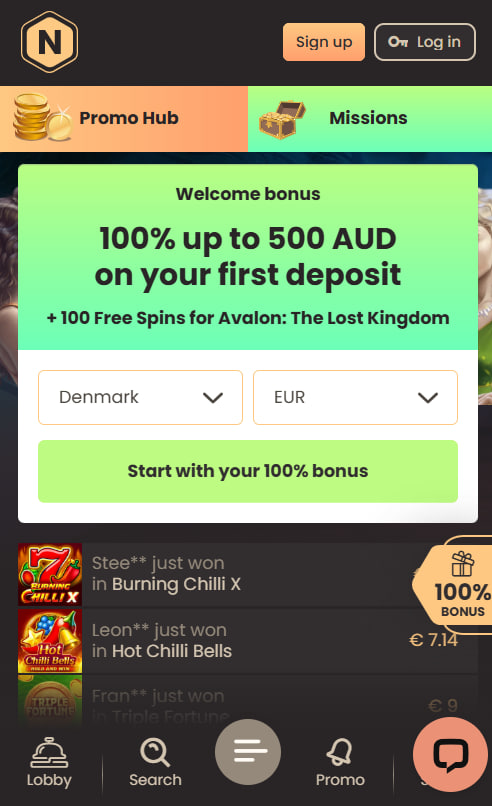
The National Casino mobile experience is delivered through two parallel channels: a direct Android APK install for native-app functionality and a Safari-based progressive web app on iOS that lives as a home-screen shortcut. Neither version sits inside Apple's App Store or Google Play due to platform restrictions on real-money casino applications, which is consistent across the offshore casino segment. The sections below cover the comparative trade-offs against mobile browser play, step-by-step installation paths for both operating systems.
Native app and mobile browser — comparing the two paths
Both the installable app and the mobile browser deliver the full National Casino catalogue, the same cashier interface and identical bonus eligibility. The choice between them comes down to access patterns and device-side conveniences rather than core functionality.
App versus browser capabilities:
| Capability | Native app | Mobile browser |
|---|---|---|
| Installation required | Yes (one-time) | No |
| Biometric login | Yes (Touch ID / Face ID) | No |
| Push notifications | Yes | No |
| Auto-update on lobby changes | Manual | Automatic |
| Storage footprint | ~50 MB | None |
| Game library access | Identical | Identical |
| Cashier and bonus access | Identical | Identical |
Casual players who log in once or twice a month typically prefer browser access; regular session players gain workflow benefits from app install through biometric login and notification triggers on new promotions.
Android installation walkthrough
The Android version is delivered as a direct APK download from the National Casino website. The APK is not listed on Google Play because Google's policy excludes real-money casino applications. Downloads from third-party APK aggregator sites carry a phishing and malware risk and should be avoided in all cases.
Android APK install sequence:
- Open the National Casino site in Chrome on Android and navigate to the Mobile App section
- Tap the Android APK button and accept the download prompt
- Open Settings → Security → enable Install from unknown sources for Chrome
- Open the downloaded APK from the notification shade or Files app and tap Install
- Launch the app, sign in with existing credentials, then disable Install from unknown sources
The first launch may take three to five seconds longer than subsequent opens while the app caches initial assets. The default install footprint sits around 50 MB and updates push automatically when new versions are released.
iOS installation as a progressive web app
iOS does not use an APK model and Apple does not list real-money casino apps in the App Store. National Casino runs on iPhone and iPad as a progressive web app added to the home screen through Safari's Share menu. The result is a full-screen, app-like experience without an actual binary install or App Store presence.
iOS PWA install sequence:
- Open Safari on iPhone or iPad and navigate to the National Casino site
- Tap the Share icon at the bottom centre of the Safari toolbar
- Scroll the share sheet down and tap Add to Home Screen
- Confirm the shortcut name and tap Add in the top-right corner
- Launch the new home-screen icon to open the casino in full-screen mode
Once added, the PWA behaves like a native app: opens directly from the icon, hides Safari controls and retains login sessions between launches on trusted devices.
Feature set inside the app
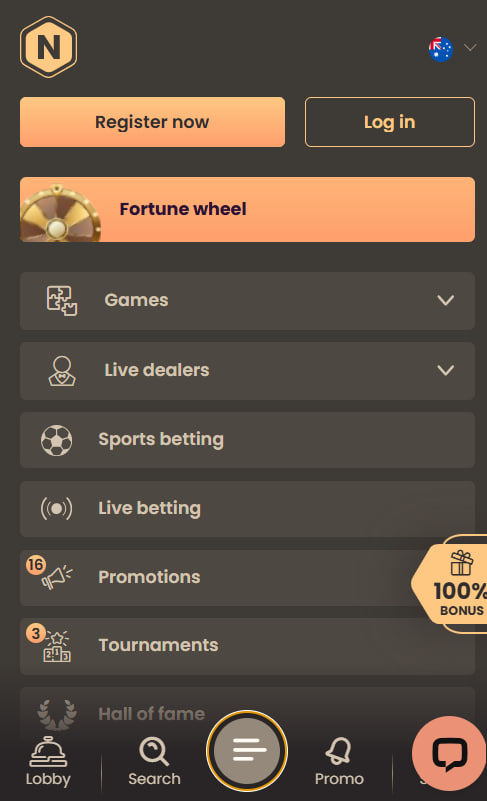
The app delivers feature parity with the desktop site plus several mobile-specific advantages that justify the install for regular players.
Available mobile-app features:
- Full library of 4,000+ pokies and 350+ live dealer tables in the lobby
- Biometric login via Touch ID, Face ID or Android fingerprint
- One-tap PayID and crypto deposit through the integrated cashier
- Push notifications for new bonuses, tournament results and KYC status changes
- Persistent login sessions across launches on trusted devices
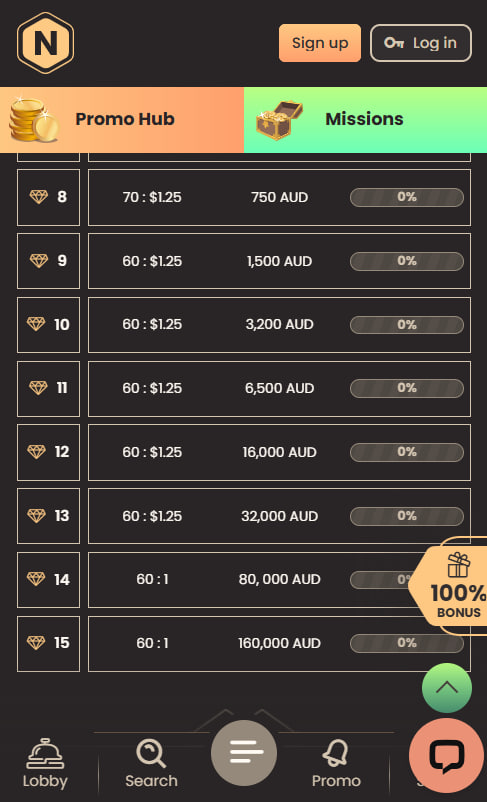
- Direct access to the VIP dashboard, Comp Points balance and wagering progress
- Full bonus-claim flow including 2TWO code — terms in the welcome bonus breakdown
System requirements and troubleshooting
The app requires a recent operating system version to ensure compatibility with HTML5 game engines and live streaming protocols.
Minimum system requirements:
- Android 8.0 or higher with 2 GB RAM minimum
- iOS 13 or higher on iPhone 8 or newer hardware
- Approximately 50 MB free storage for the Android install
- A stable connection of at least 5 Mbps for live dealer streaming
Common issues and fixes:
- App refuses to open after install — restart the device and verify Android version compatibility
- Deposits fail through the in-app cashier — switch to the mobile browser to isolate whether the issue is app-side or cashier-side
- Push notifications not arriving — confirm system notifications are enabled in OS Settings → Apps → National Casino
- Cannot log in despite correct password — clear the app cache or reinstall if 2FA codes are rejected
New mobile installs can begin with the sign-up walkthrough before linking the account.

Eliza Whitfield
Eliza Whitfield reviews offshore-licensed online casinos for Australian players at national-casinoos.com, with focus on operators under Curaçao eGaming framework like National Casino (TechSolutions Group N.V., licence #8048/JAZ). Covers pokies catalogues with 75+ studios including Pragmatic Play (Wolf Gold, The Dog House Megaways), NetEnt, Microgaming (Mega Moolah), Play'n GO (Book of Dead) and BGaming, Megaways and Hold & Win mechanics, live dealer rooms streamed by Evolution Gaming with game shows like Crazy Time and Lightning Roulette, AUD-native banking with PayID (deposit only NPP service), Neosurf and Flexepin vouchers, crypto rails BTC/ETH/LTC, two-deposit welcome packages with 40× wagering and A$5 max-bet caps, 15-tier VIP programs with Comp Points and cashback up to 20%.